Touchscreen Laptops Promised Innovation, But Do We Really Need Them?
Walk into any showroom or scroll through the latest Windows 11 laptop listings, and you’ll notice a common trait: most of them come with touchscreens. At CES 2026, nearly every model I tested had one. Yet, despite their ubiquity, touchscreens no longer feel like a selling point.
PC
AllComputerss
3/22/20263 min read
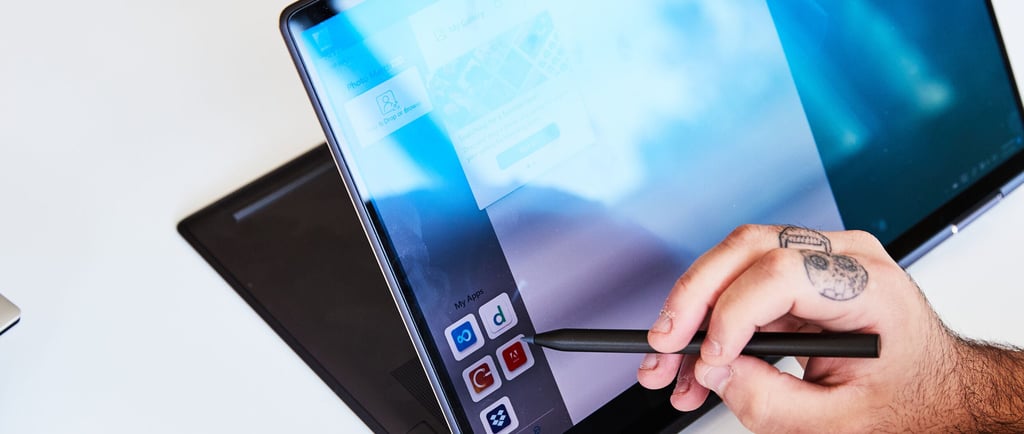
Walk into any showroom or scroll through the latest Windows 11 laptop listings, and you’ll notice a common trait: most of them come with touchscreens. At CES 2026, nearly every model I tested had one. Yet, despite their ubiquity, touchscreens no longer feel like a selling point. In fact, they’ve become something of an afterthought bundled in by default, but rarely celebrated.
For buyers, that’s the reality: touchscreen capability is there, but it’s not something you should prioritize. Unless you have a very specific need, it’s a feature you can safely ignore.
Manufacturers Don’t Even Highlight Them
During CES, I visited a demo space where a PC maker was showcasing its newest laptop. The representative eagerly discussed performance, AI integration, battery life, and productivity tools. When I commented on the surprisingly smooth matte touchscreen, they seemed caught off guard. It wasn’t even part of their pitch.
That moment captured the state of touchscreens in modern laptops. They’re everywhere, but they’re not the star of the show. Companies focus on AI features, dual‑screen innovations, and raw performance, while the touchscreen sits quietly in the background, unmentioned.
Why Touchscreens Once Mattered
Years ago, I was a strong advocate for touchscreen PCs. On Windows 10 laptops, scrolling through documents or web pages with a finger felt natural and efficient. I didn’t want to give up that convenience.
But the truth was simpler: back then, touchpads were terrible. They were unresponsive, clunky, and frustrating. Touchscreens compensated for that weakness.
Fast forward to today, and even budget Windows 11 laptops ship with excellent touchpads. They’re smooth, precise, and responsive. With modern touchpads, there’s little reason to reach up and smudge your display when you can scroll effortlessly from the keyboard deck.
Apps Aren’t Built for Touch
Another reason touchscreens feel redundant is that Windows apps aren’t optimized for touch. Microsoft’s Surface Pro remains a rare exception, designed to function as a tablet first. Many PC makers still produce 2‑in‑1 convertibles that fold back into “tablet mode,” but the experience is awkward. Holding a thick laptop with exposed keys on the back is hardly ideal.
The bigger issue is software. The touch‑first vision of Windows 8 and 10 has faded. Windows 11 is firmly a mouse‑first operating system, even when used on a tablet. Few apps are designed with touch in mind, and gestures have regressed. For example, swiping in from the left now opens the Widgets pane instead of Task View, a downgrade from Windows 10’s more intuitive design.
Tablet Mode Isn’t What It Used to Be
Windows 11 technically supports a “tablet mode,” but it’s watered down compared to earlier versions. You can’t manually toggle it on most laptops—it only activates when the device physically folds into tablet posture. And even then, the changes are minimal: slightly larger touch targets on the taskbar, but no full‑screen Start menu or meaningful interface adjustments.
This lack of commitment makes touchscreen laptops feel like wasted potential. Devices like the Lenovo Yoga Book 9i or Asus Zephyrus Duo could shine with a robust touch ecosystem, but instead they rely on traditional keyboard and mouse workflows.
The Pen Exception
The one area where touchscreens still matter is pen input. Convertible laptops like the Surface Pro support active pens for note‑taking, sketching, and professional design work. For artists, students, and certain professionals, this remains a valuable feature.
But even here, the touchscreen isn’t the star, the digitizer layer is. Technically, pen input doesn’t require a touchscreen at all. And most buyers who purchase pen‑enabled laptops rarely use the pen beyond the first few weeks.
Should You Care About Touchscreens?
In 2026, touchscreen laptops are common, but they’re not essential. They exist mostly to pad spec sheets and give manufacturers another box to tick. If the laptop you want happens to include one, fine. If you’re choosing between two similar models and one has a touchscreen, sure, pick that one. But if you can save money by skipping it, you won’t miss much.
Until Microsoft reinvests in a touch‑optimized Windows experience, touchscreens will remain a forgotten feature present, but irrelevant.
© 2026 AllComputerss. All rights reserved.